
View AI cartilage segmentation of knee MRI in 3D, measure cartilage thickness by region, and correct the mask directly in your browser.
 AI Cartilage Segmentation Viewer
Upload a knee MRI together with its AI cartilage segmentation mask to view femoral and tibial cartilage in three planes and 3D, with cartilage thickness and area calculated automatically by region. Correct mis-segmented areas with brush, fill and auto-contour tools and save your edits. Saved versions can be compared with the original AI mask to see exactly what was changed.
Upload files once and they are organized into cases automatically. Open any case from the list to review and edit it.
X_0000 MRI, X AI mask, X_edited edited mask.
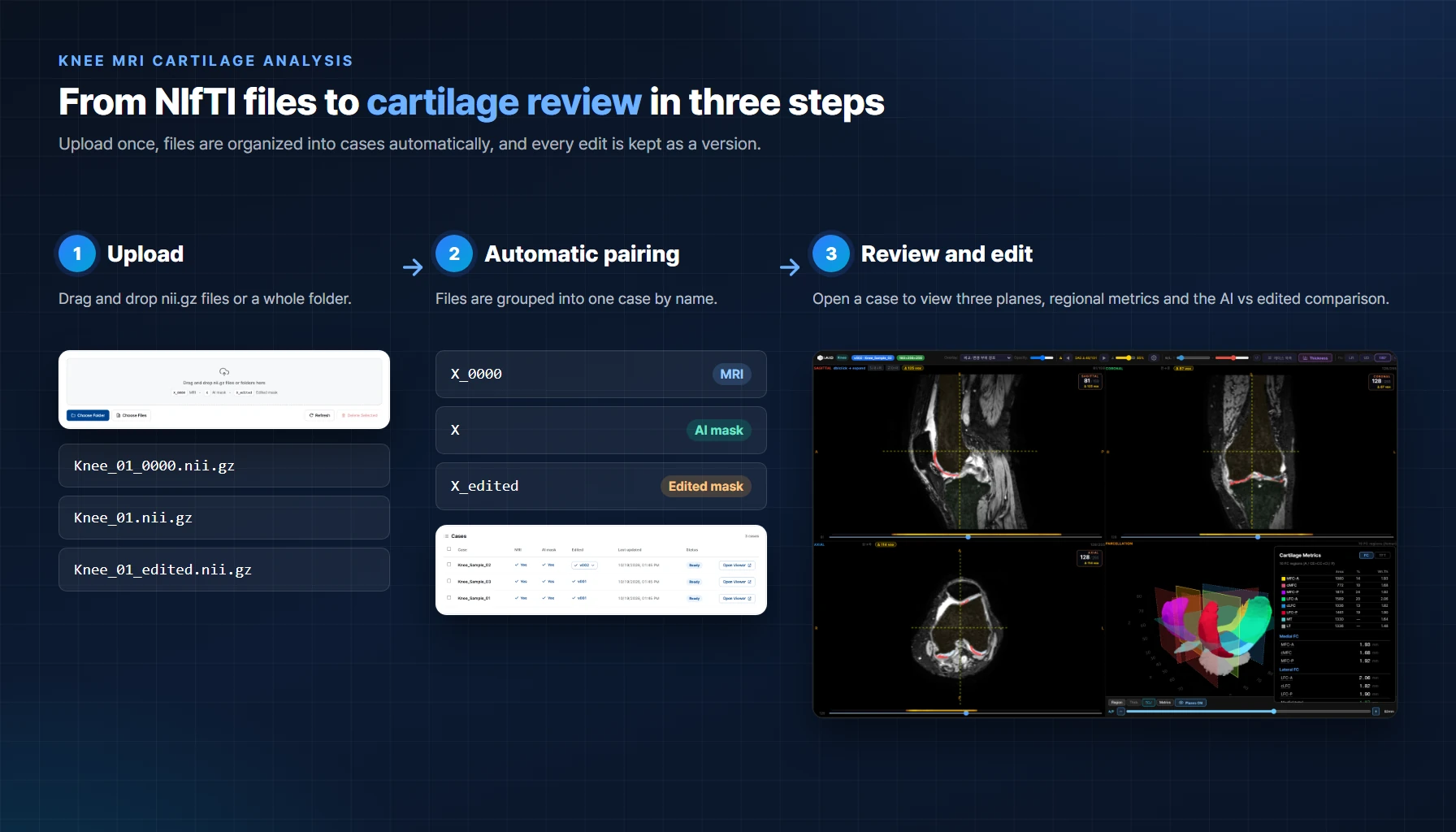
Visual review, regional measurements and edit tracking in one viewer
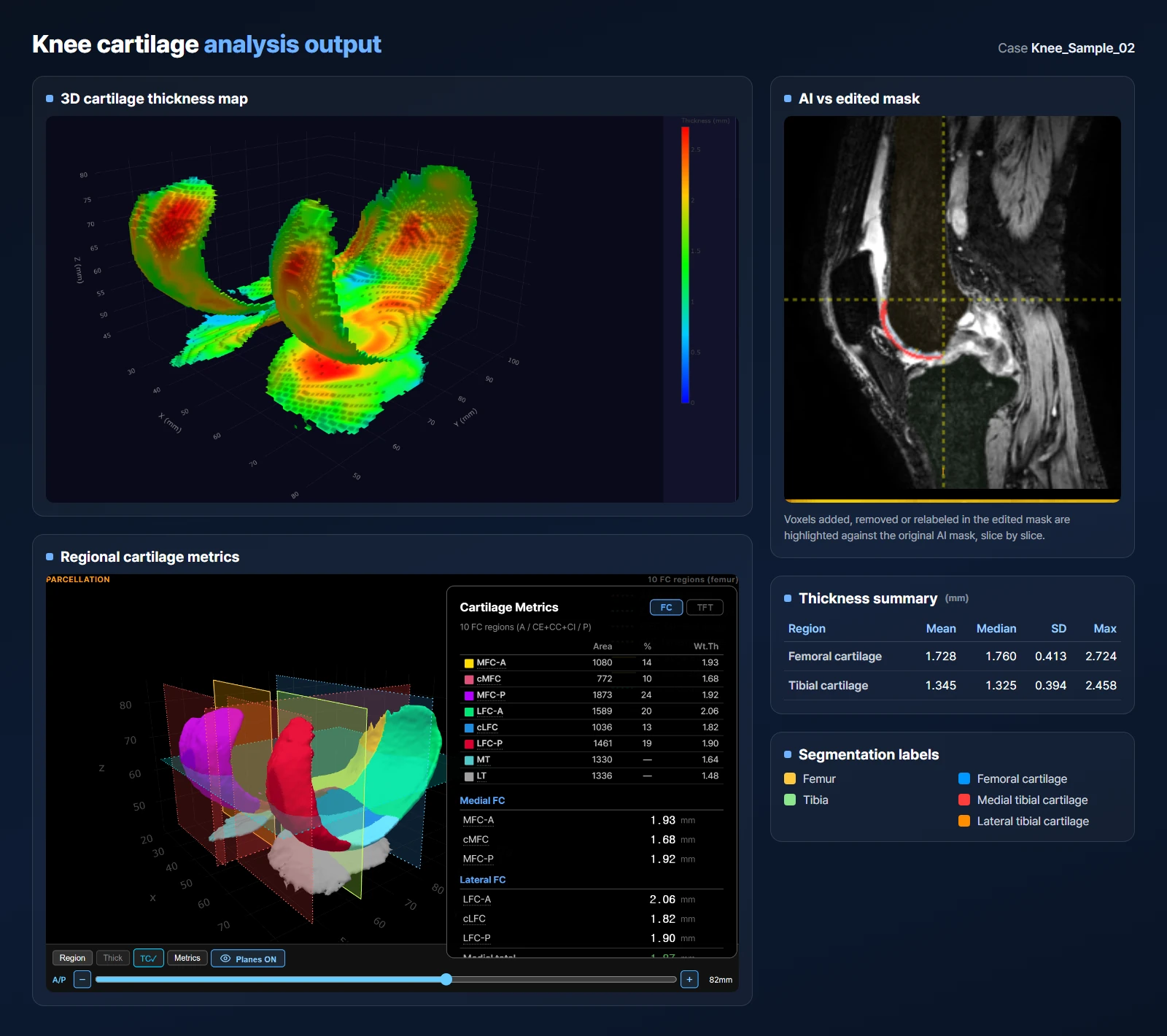
Femoral and tibial cartilage rendered in 3D and colored by thickness
Area and weighted mean thickness for each femoral and tibial region (MFC, LFC, MT, LT)
Added, removed and relabeled voxels highlighted against the original AI mask
Export thickness measurements and per-slice change counts for statistical analysis